Private by design
Your photos are stored only on your iPhone and you can delete them at any time. Our servers do not keep recordings of your conversations.
Point at text, snap a photo, done
TransLemon lays the translation right over the original text in your photo, explains dishes with pictures and allergens, and turns a single button into a two-way interpreter. Your pocket translator for travel.
Free to try · iPhone · iOS 17 or later

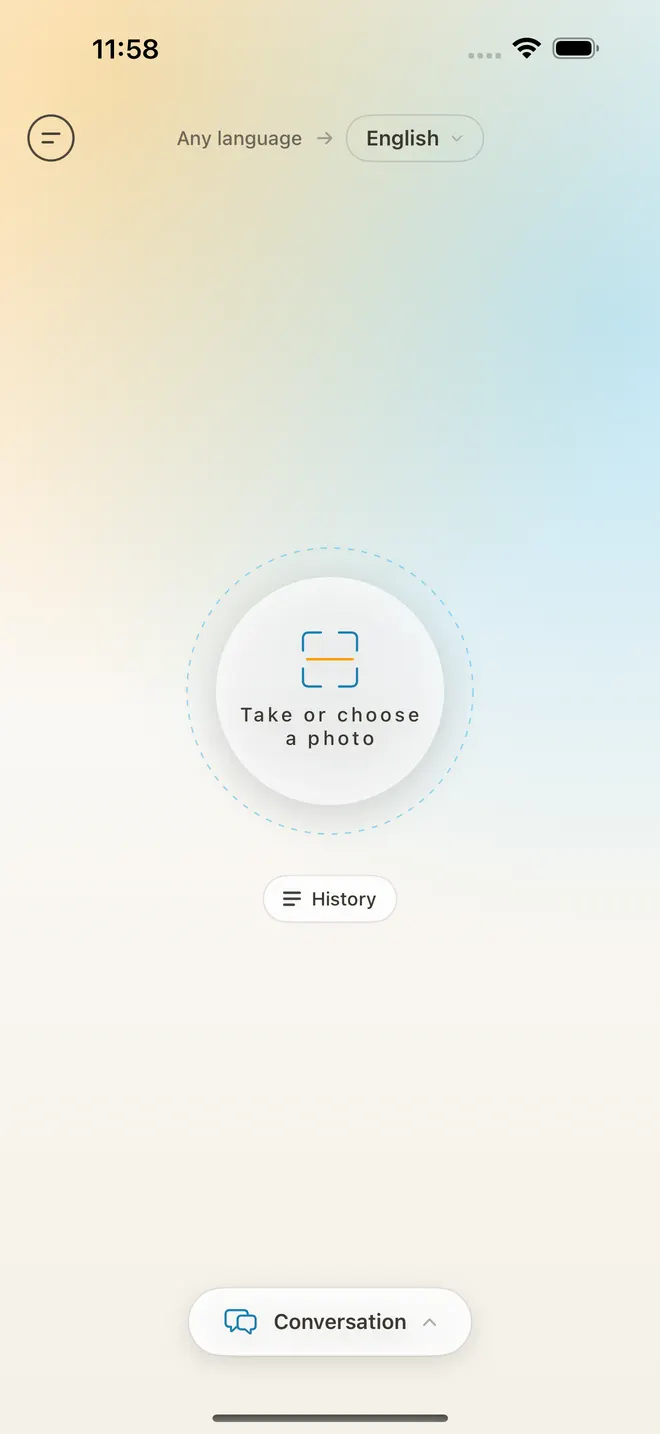
Snap a menu, sign or label, or pick a picture from your library.
TransLemon reads the text – horizontal or vertical, printed or handwritten.
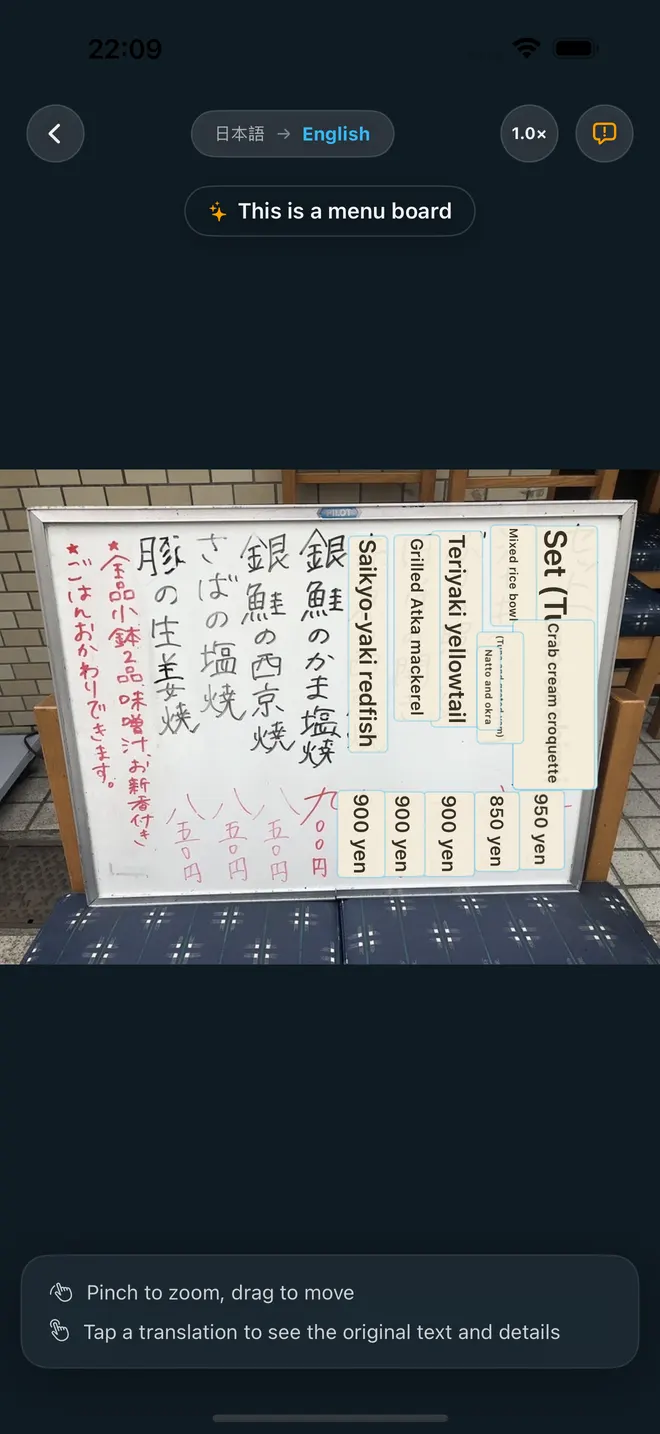
Each translation appears exactly where the original was, so the layout stays clear.
Photo translation
No more matching line after line of a list against the original. TransLemon covers every block of text with its translation in place – a menu still looks like a menu, a sign still looks like a sign – in the language you chose.
Each line is translated where it stands, sized to fit, even on vertical Japanese and Chinese menus.
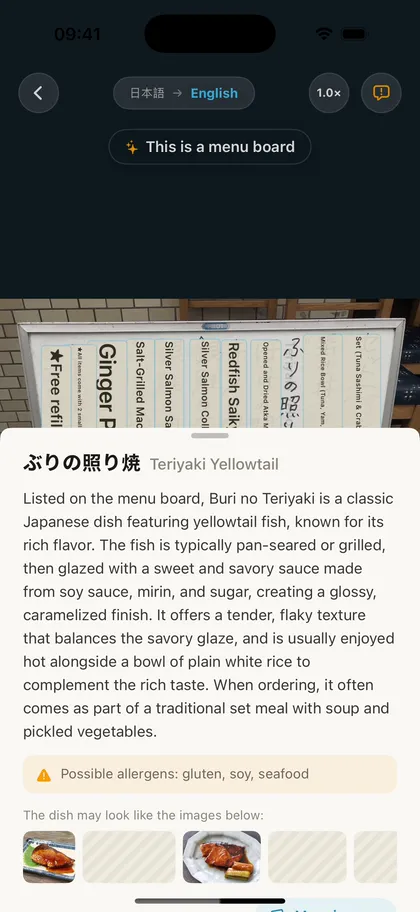
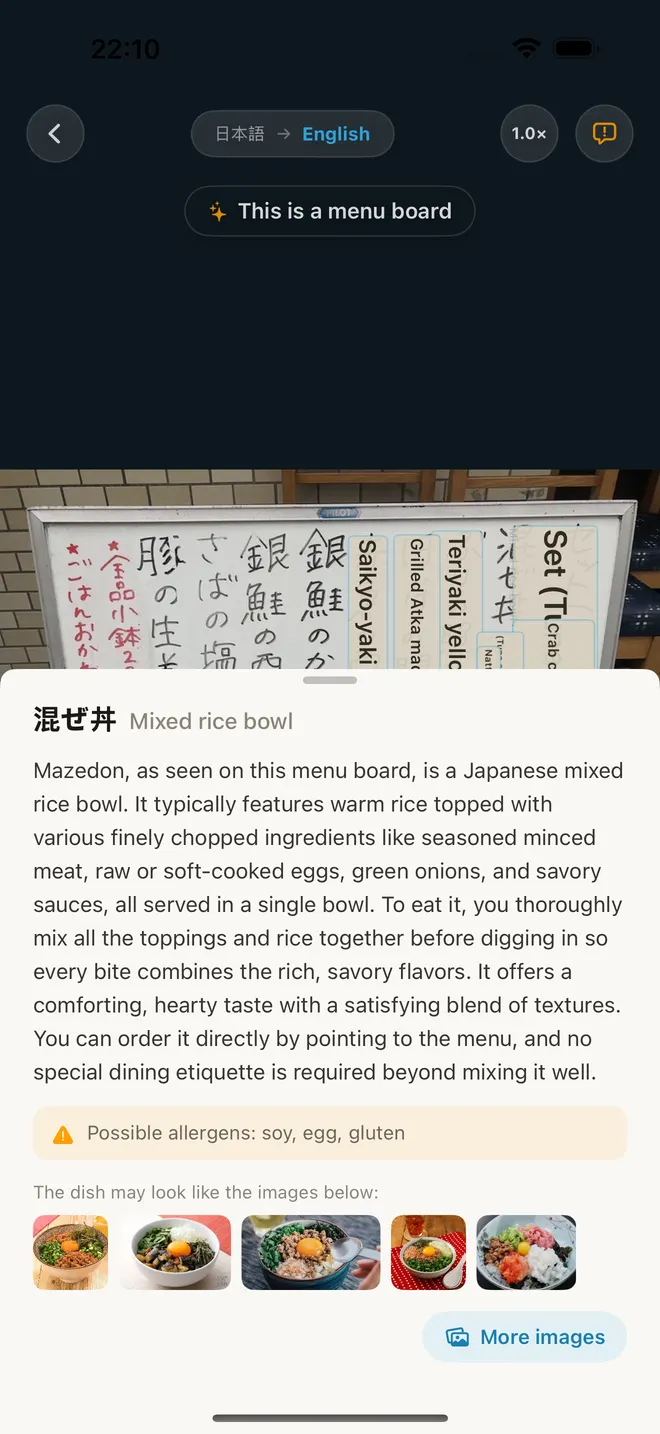
Tap a dish for a short introduction, real photos of what it looks like and possible allergens.
Tap any translation to see the original text underneath. Pinch to zoom into the details.
No need to choose the source language. Japanese, Thai, Korean, Arabic… it just works.
Conversation translation
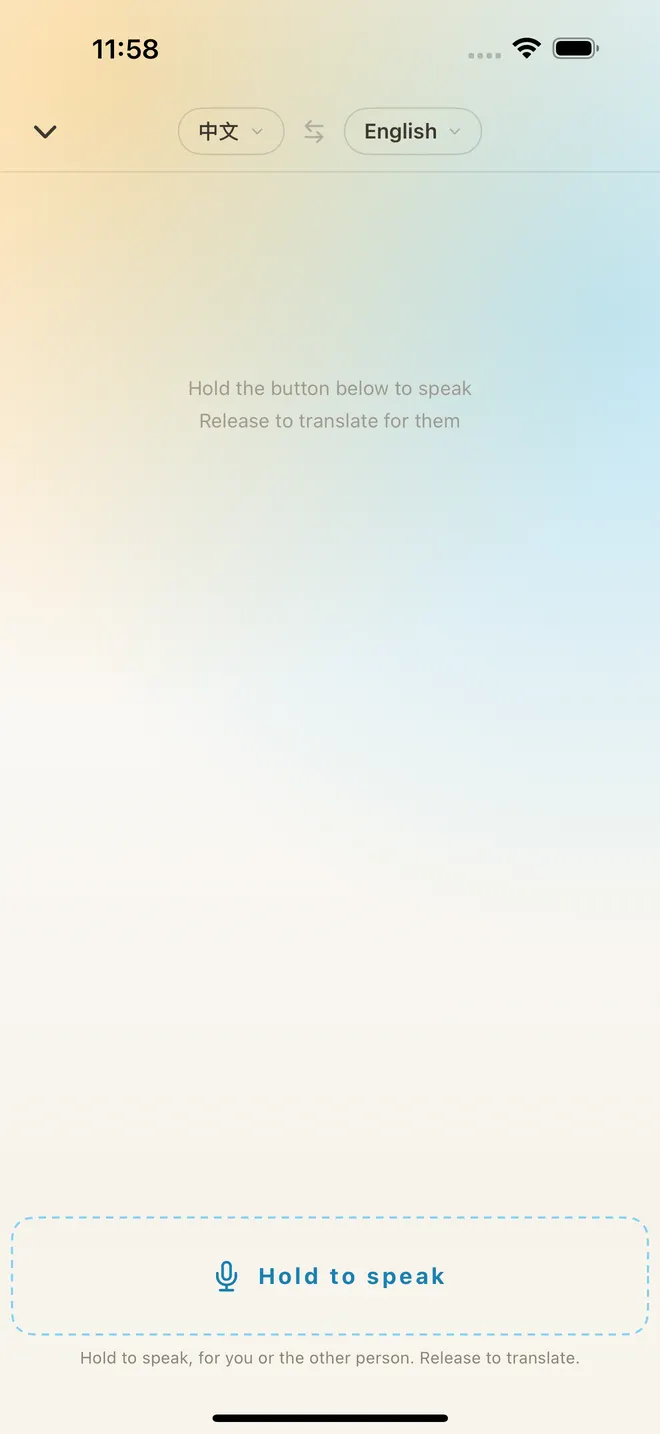
Hold the button and talk. TransLemon works out who is speaking, translates as soon as you let go and reads your words aloud in the other person's language. Order face to face, ask for directions, check in at a hotel – just hand over your phone.
The same button for you and the person you're talking to – no switching sides.
Your words go into their language, theirs come back into yours, automatically.
Your translation is spoken to them right away; tap the speaker to replay any line.
Pick their language once – TransLemon keeps the pair for your next few chats.
Hi! Do you have a table for two?
こんにちは!2人ですが、席はありますか?
はい、窓側の席へどうぞ。
Yes, please take a seat by the window.
I'm allergic to peanuts. Is this curry OK for me?
ピーナッツアレルギーがあります。このカレーは大丈夫ですか?
ピーナッツは入っていないので、ご安心ください。
There are no peanuts in it, so don't worry.
Hold to speak, for you or the other person. Release to translate.
Every language below works as the app language and as the translation target. Photos can be in any language at all.
Your photos are stored only on your iPhone and you can delete them at any time. Our servers do not keep recordings of your conversations.
Every new install comes with a free allowance for photo and conversation translation. Need more? Basic and Plus plans are available weekly, monthly or yearly, and monthly and yearly plans start with a 3-day free trial. Cancel anytime in Settings.
Yes, you can download it for free and try photo and conversation translation right away with the included free allowance. For higher limits you can subscribe to Basic or Plus; monthly and yearly plans include a 3-day free trial.
19 languages as both app language and translation target: English, Chinese (Simplified and Traditional), Japanese, Korean, Spanish, French, German, Italian, Portuguese, Russian, Indonesian, Turkish, Thai, Vietnamese, Hindi, Bengali, Urdu and Arabic. Text in photos can be in any language.
No. TransLemon detects the source language automatically – just choose the language you want to read, and take the photo.
Yes. Vertical Japanese and Chinese text and clear handwriting on menu boards are recognized, and the translation is placed over each original line.
You and the other person use the same button. TransLemon recognizes which of the two languages was spoken and translates into the other one. Your words are read aloud to them automatically.
No, an internet connection is required, because recognition and translation run on our servers for the best quality.
Photos are kept only on your device and can be deleted at any time. Conversation recordings are not kept on our servers.
TransLemon is available on the App Store for iPhone running iOS 17 or later.

Download TransLemon and turn menus, signs and conversations into a language you understand.
Download on theApp Store